
Problem
Price discovery for used items is time consuming and full of small frictions: identifying the exact item, finding the fair market price, and comparing what you'd keep after platform fees.
Solution
A free appraisal app that uses Claude to value an item, compare payouts from different marketplaces, and suggest the best option to sell it.
System Architecture
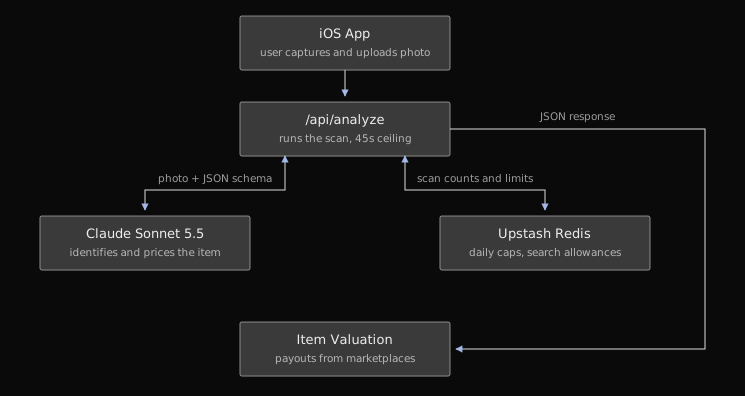
The app routes requests through a Vercel endpoint so API keys aren't stored on the device. To keep the app free without risking runaway costs, I used Upstash Redis to cap usage at 100 scans per device and 1,000 scans globally per day.
Balancing Accuracy and API Costs
I chose Claude Sonnet 5.5 due to its low costs and high accuracy at ~$0.024 per scan. I considered slightly cheaper options like Sonnet 4.6, but I wanted the results to be as trustworthy as possible.
A key product decision was determining how items were valued. Using a web search for every scan increased accuracy, but because it raised API costs by 3-4x and quadrupled the total latency from ~6 to ~25 seconds, I chose to rely on Sonnet's pre-trained data for most items.
Price Discovery
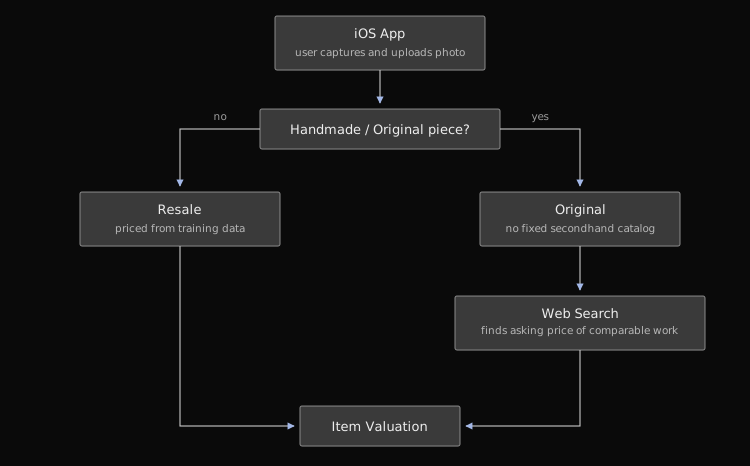
The project started with resale pricing, but the most interesting use case was showing the app something original like a painting that wasn't listed before. That grew the idea into a price discovery tool for both used and original items.
This required two separate pricing strategies. Since handmade and original items lack past transaction data, the search workflow finds the asking prices of visually comparable items to estimate the value.
Managing Inference Latency
While most scans took ~6 seconds, a scan with web searches took ~14 to 27 seconds in testing, so I capped searches at 45 seconds and the loading state displays an estimated wait time. If the first API call times out, it automatically tries again with the remaining time. If both attempts fail, no price estimate is shown and the user can retry or start over.
Designing for Model Uncertainty
Early testing with friends and family quickly showed the limits of using Sonnet 4.6 in the first prototype. When testing items like jewelry and bracelets, the vision model struggled to identify some brands and gave very inaccurate prices. Watching them experience this problem led to two key design decisions:
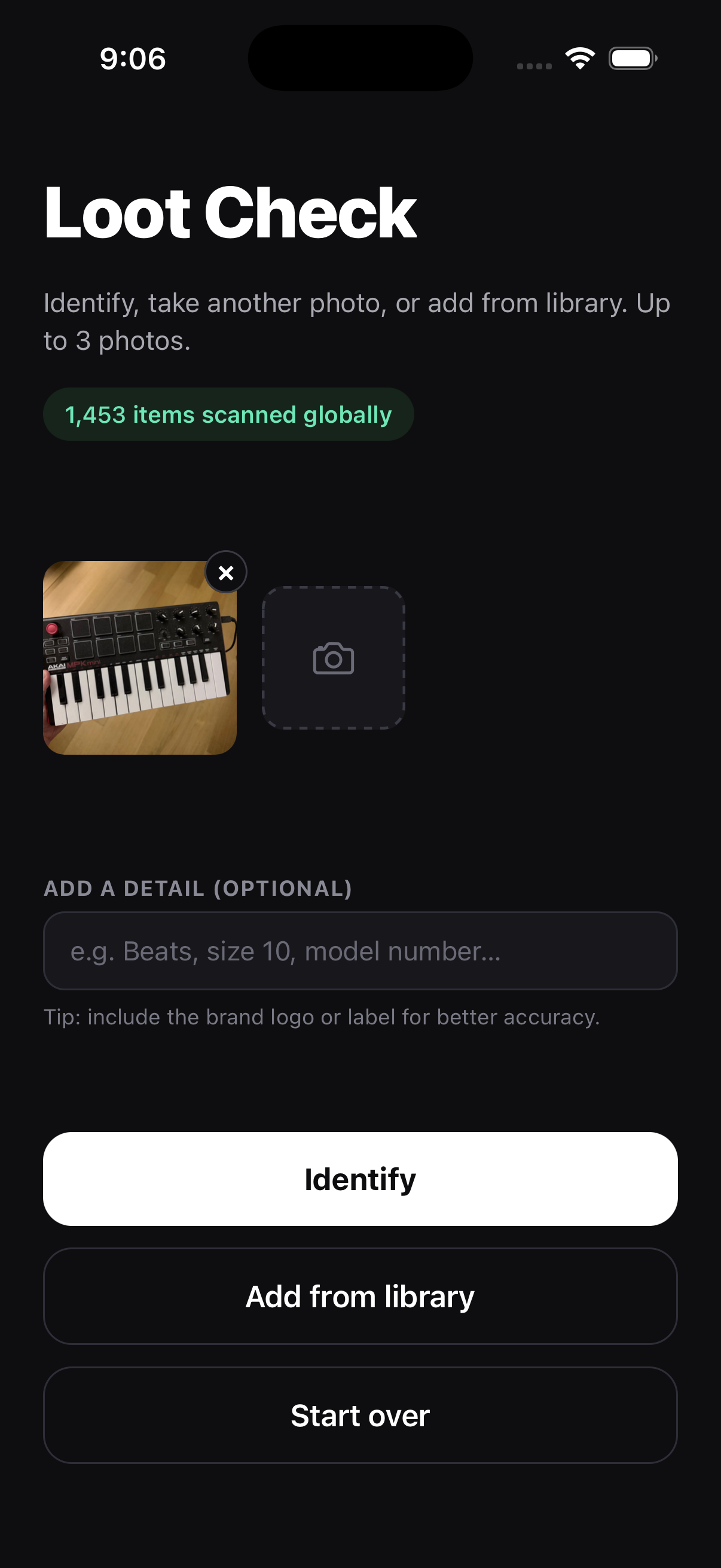
- Optional Keyword Hints: Letting users enter a brand or description before scanning to guide the vision model.
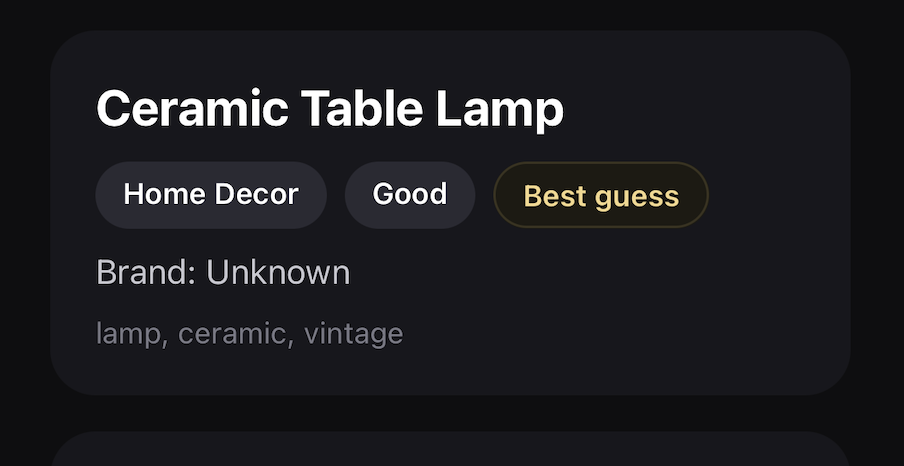
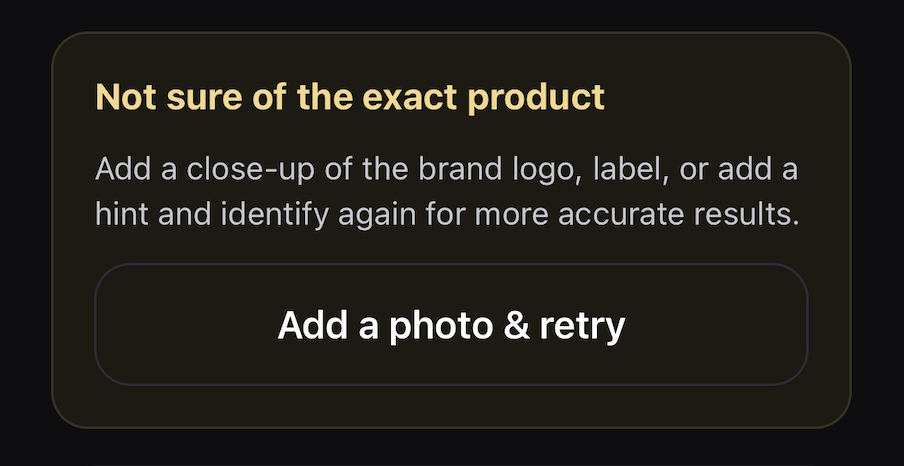
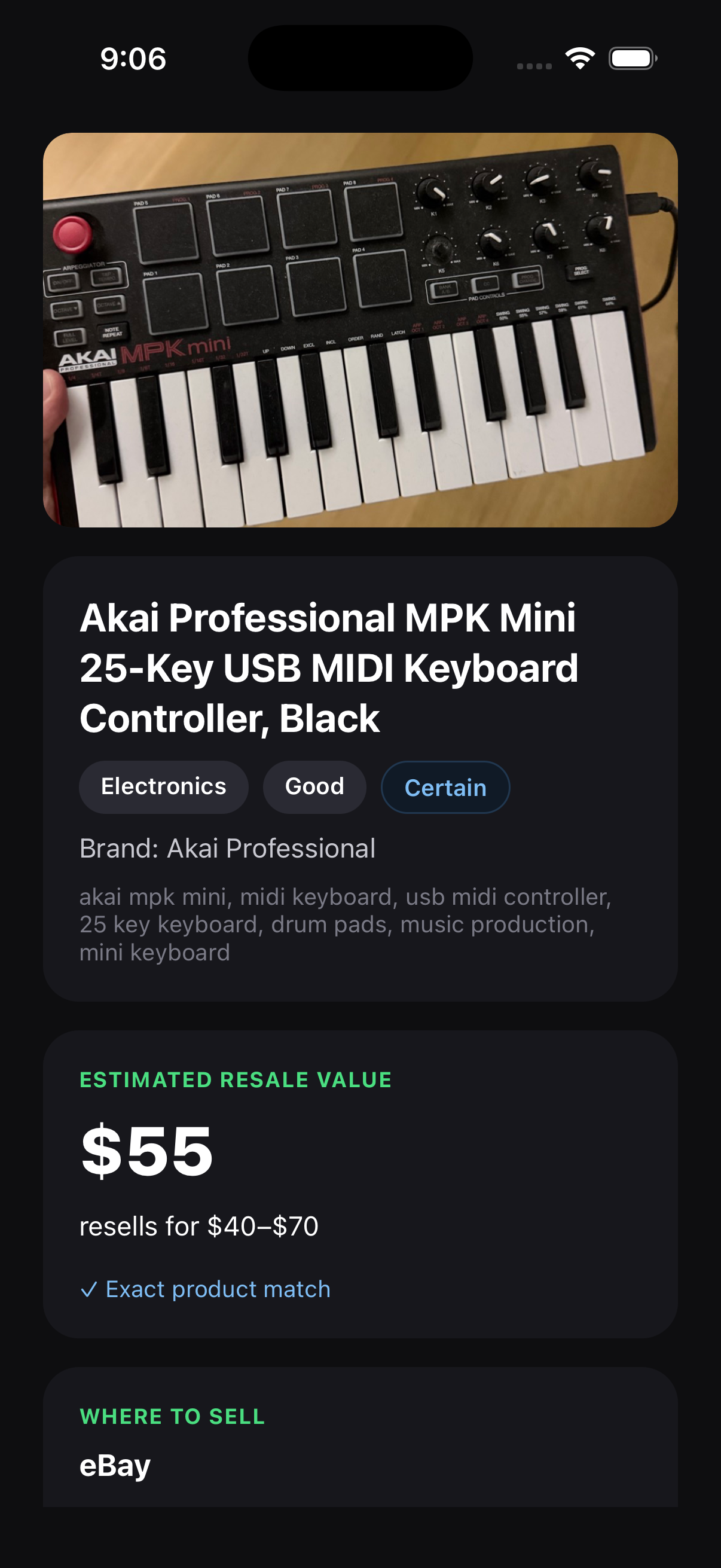
- Confidence Ratings (Best Guess, Certain): Being open when Sonnet's confidence is low so users don't trust a wrong estimate, and allowing them to take another photo or retry.
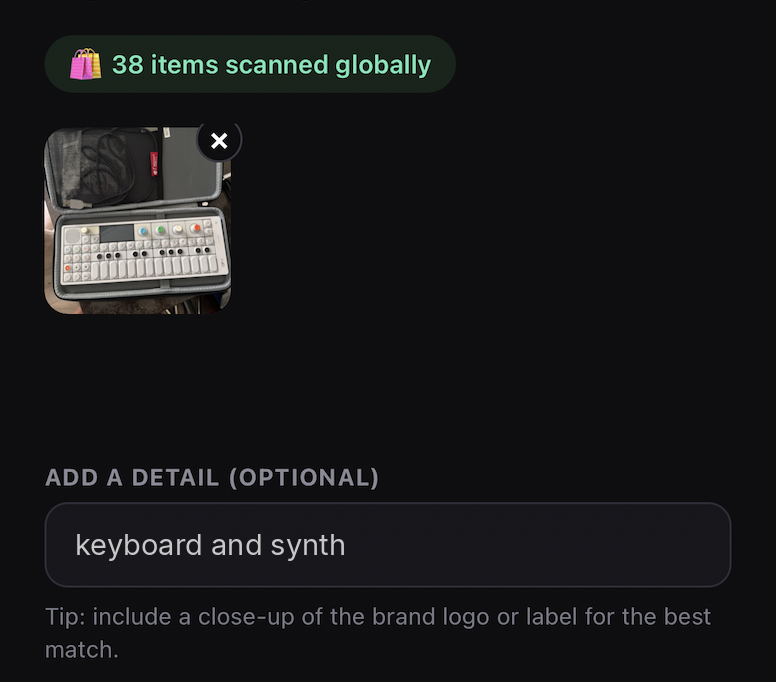
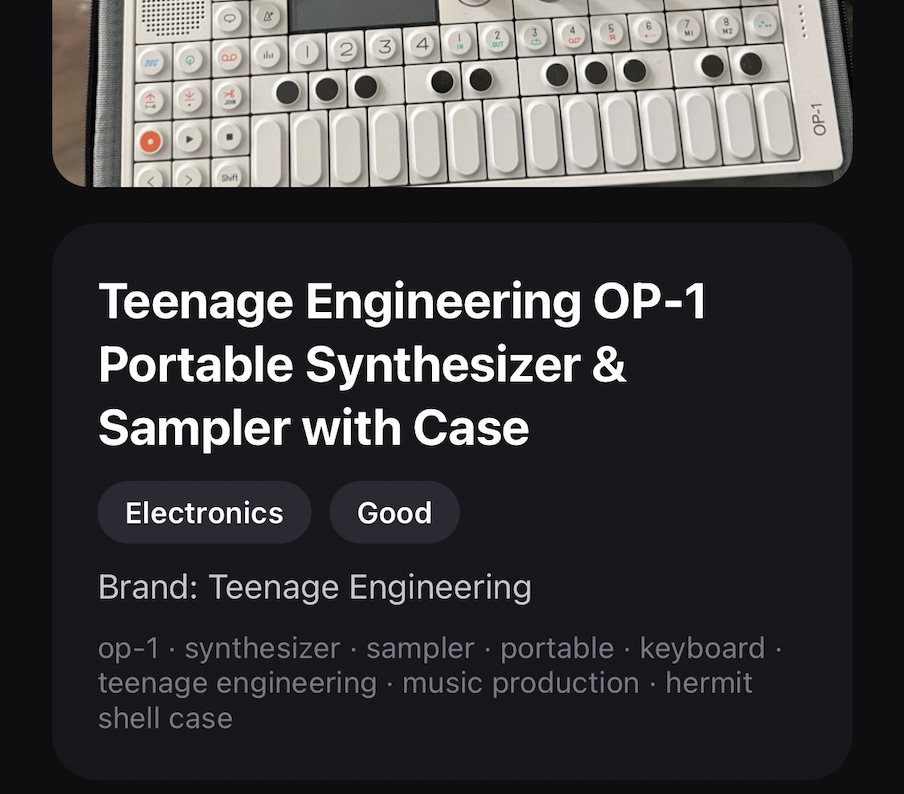
Results with low confidence are labeled "best guess," and users have the option to add another photo and retry.
Current UI Design
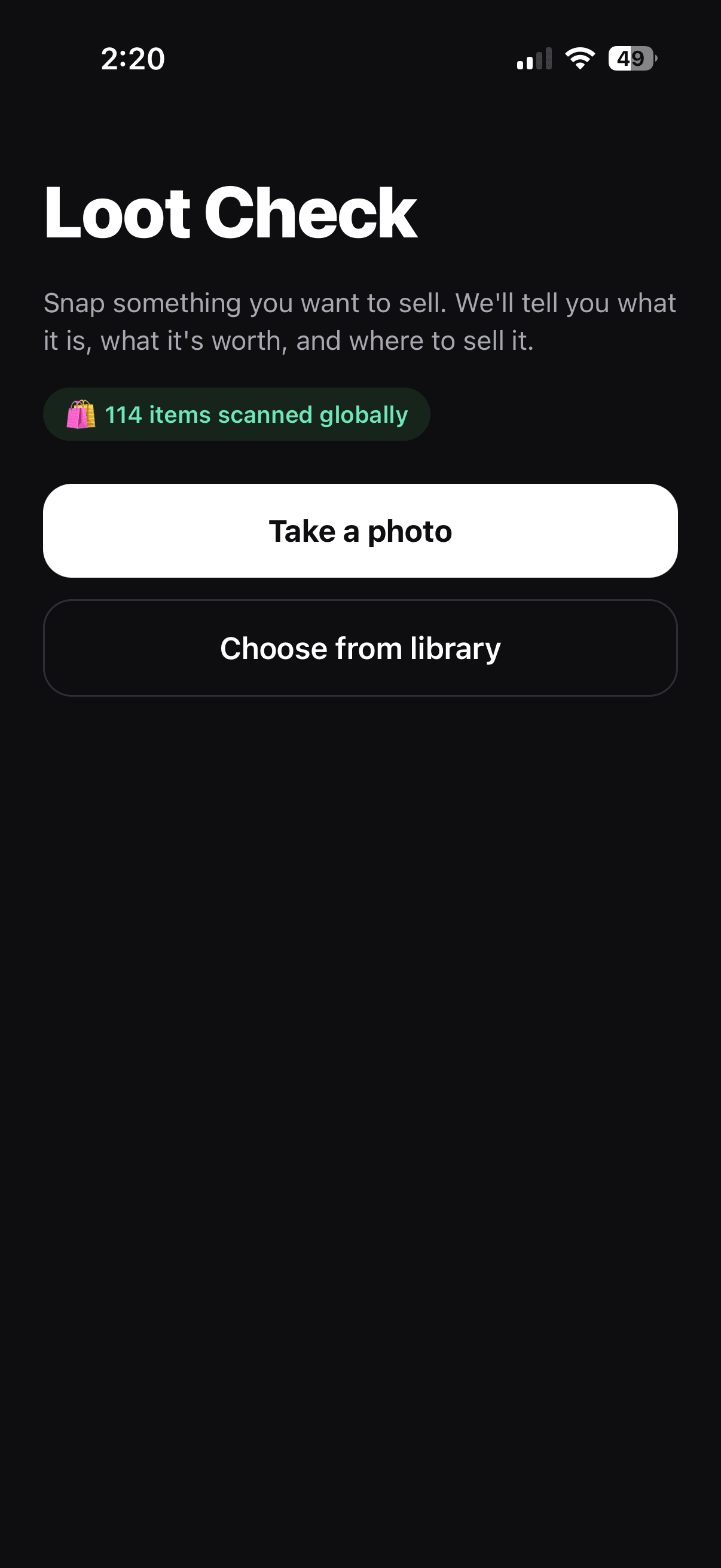
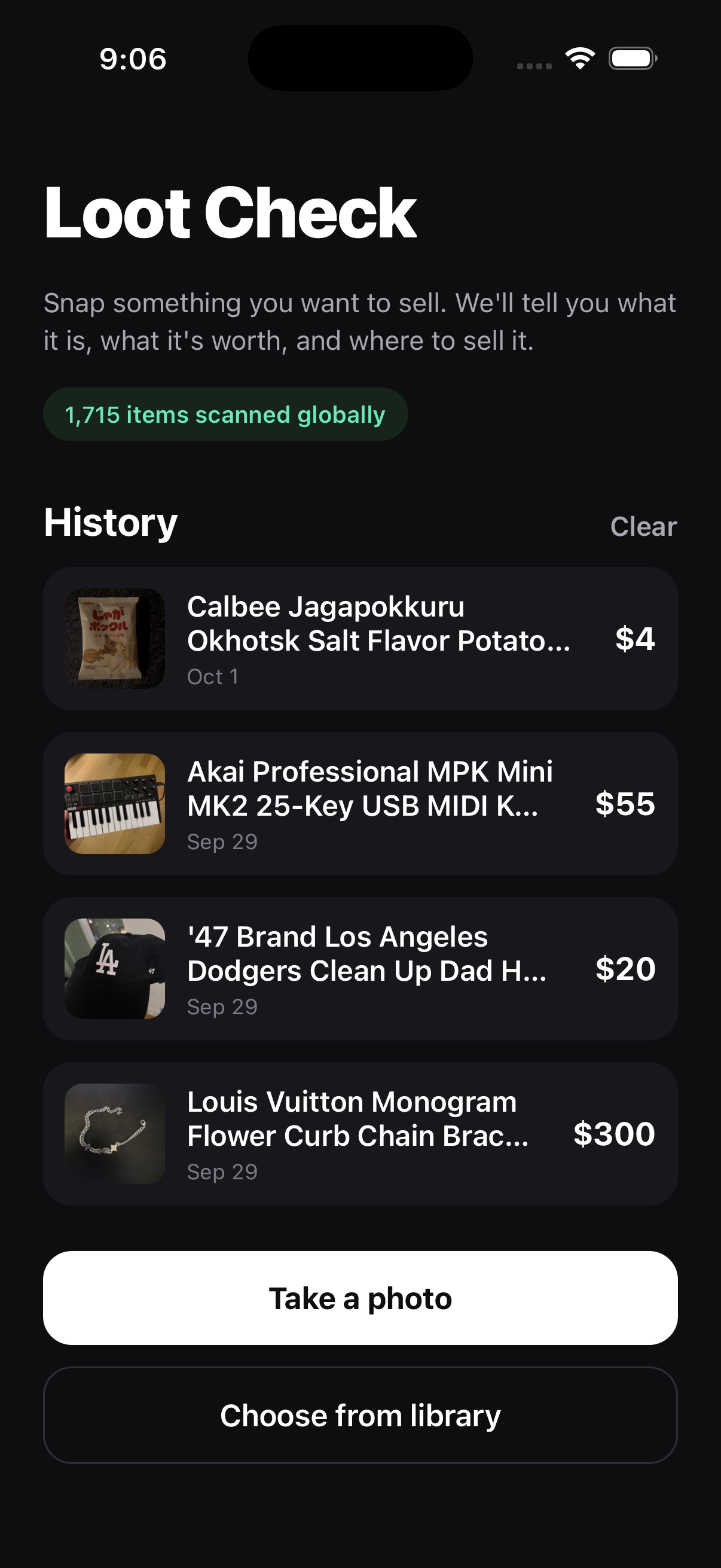
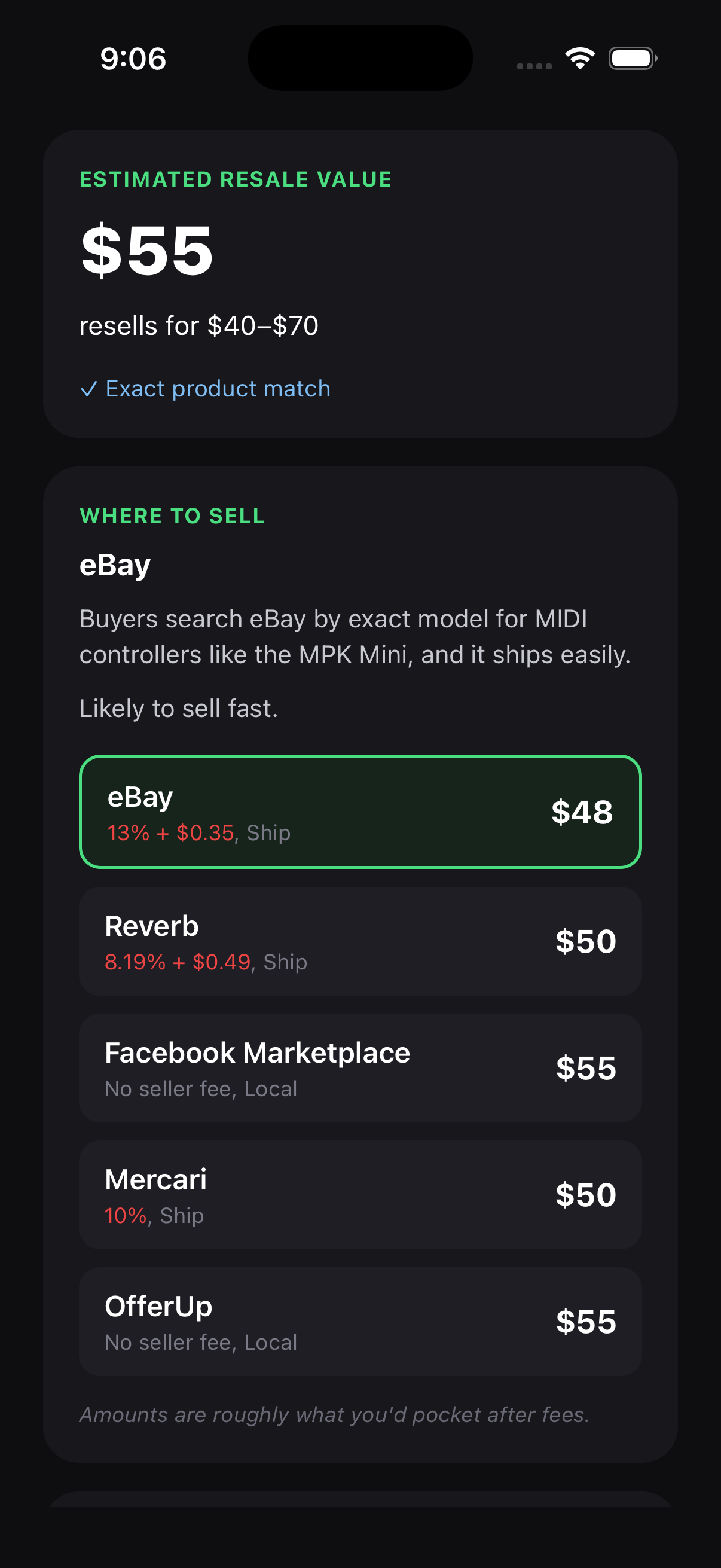
I designed Loot Check to get from photo to price in three steps. Taking a photo is the main action on the home screen. The results show the photo above the title so the user can check it's the right item, followed by an estimated price range. The 'Where to sell' section compares what the user would pocket after fees on each marketplace and highlights the best option.
Privacy
Privacy choices also impacted the design. Photos are sent to Claude to identify the item, but past scans, photos, and results are saved only on the user's device. Considering the user's privacy, I decided to keep an anonymous record of each scan, like how the price was worked out and how confident the estimate was to find ways to improve the app.
Results
Loot Check is live on the App Store. The app gained 200+ organic downloads and ~14K App Store impressions in the first two months, with 1,375 items scanned. Requests didn't get lost, keys stayed secure, and there were no runaway API costs or crashes.
I wanted to automate the listing process, but because marketplaces don't have a public listing API, the app creates a title and description to copy and paste. The next steps are continuing to test the app and learning which use cases provide the most value.